
Station training checklists
Your station checklists, scored and actually used
From binder page to a record you can query
A paper checklist answers one question once, for one person, and then goes in a drawer. You cannot ask it which item your crew misses most, whether scores on the grill are trending down, or who has never been checked on it at all.
Same items, different container. Once a checklist is a structured evaluation, all three of those questions are just views over it, and nobody had to type anything twice.
What a checklist can hold
- Items grouped into categories, so a long closing list is scannable instead of a wall of 51 checkboxes.
- Per-item answer types, so a yes/no step and a graded one are not forced into the same shape.
- Critical items that block a sign-off and are reported on separately.
- Score weighting, so the steps that matter move the number and the trivia does not.
- Pasted links on any item, pointing at your own recipe cards, build sheets or videos.
- Free-text notes on the evaluation, quoted back in the person's history in your trainer's own words.
Start from a pack, not a blank page
Writing station checklists from nothing is the reason most training projects die in week one. CrewSharp ships starter packs for common formats, each with its stations and a sensible checklist on every one, and every word of it is editable. Pick the closest one, spend an hour making it yours, and you have skipped the part that kills the project.
The packs also seed the planner with staffing windows and shift tasks, so the first shift plan you generate is not empty either.
Running one on the floor
The evaluation flow is built for a trainer standing at a station holding a tablet, not for an office chair. Open the person from the dashboard and the correct station checklist is already selected, because the system knows what they are working. Tap through, add notes, done.
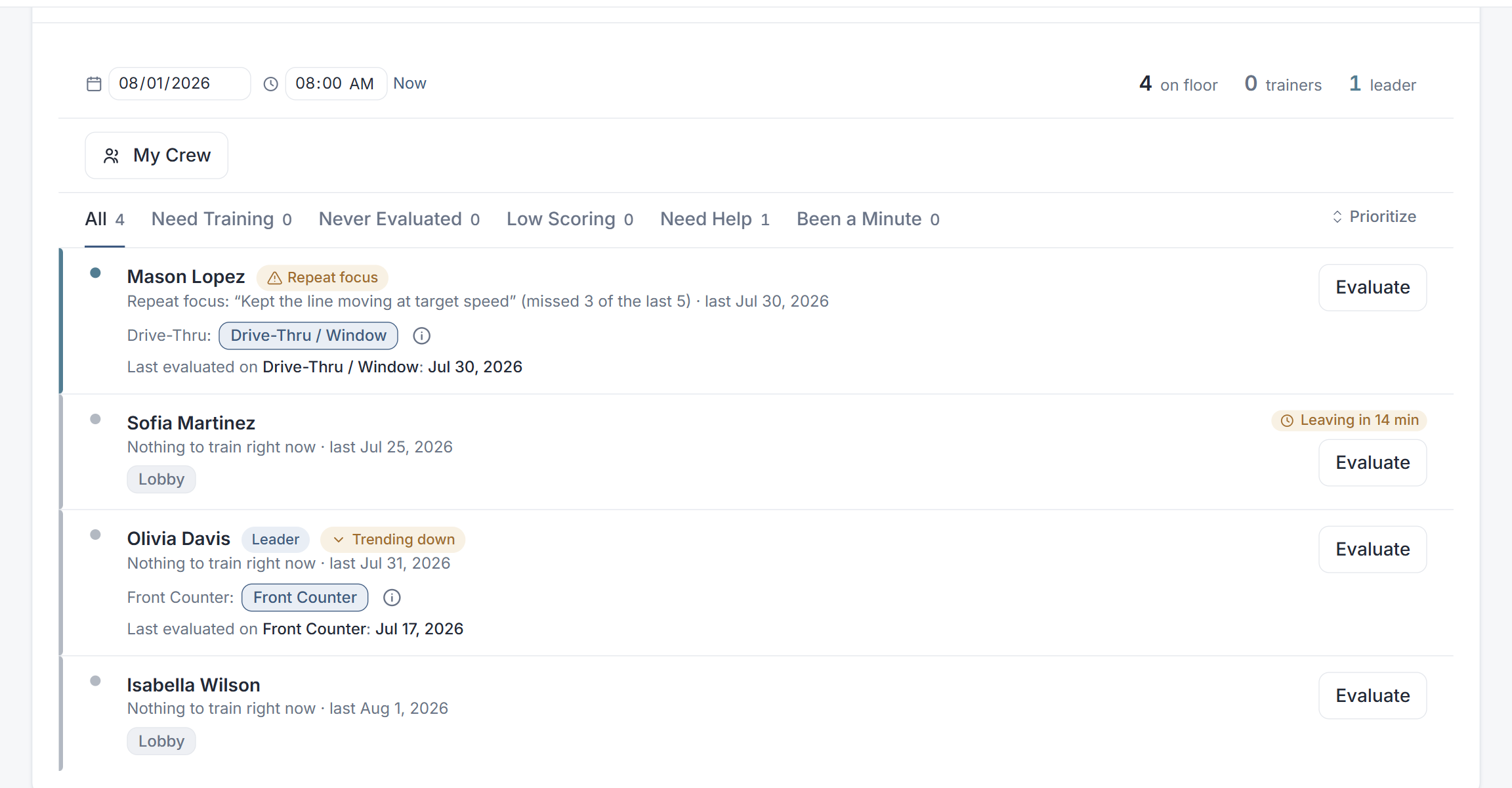
The moment it is submitted, the person's profile, the cross-training matrix, the station averages and the training priorities are all current. That is the whole trick: the record gets made where the training happens, so nothing depends on anybody reconciling it later.
Common questions
Can I edit the checklists?
Completely. Every station ships with a sensible starting checklist and all of it is yours: add, reorder or delete items, group them into categories, choose the answer type, and mark items critical or score-affecting. Most operators start from a pack and have it matching their own standards within an hour.
What does marking an item critical do?
Critical items are the ones you cannot be signed off without. They are called out separately in reports, so a crew that averages well but keeps missing a critical item does not disappear behind a good number.
Can I attach links or reference material to a checklist item?
Yes. Paste a URL into an item and it becomes a link, which is how most operators point a trainer at a recipe card, a build sheet or a video they already host somewhere else.
Do I need to be online on the floor?
CrewSharp runs in the browser and expects a connection, the same as your POS back office. It is built tap-first for a tablet so an evaluation takes a couple of minutes between waves rather than a sit-down at the end of the night.
What happens to a checklist after it is filled in?
It becomes a scored evaluation attached to that person and that station, with the notes and any missed items. From there it feeds the dashboard priorities, the person's profile, the cross-training matrix and the reports, without anybody re-entering anything.
Put your own checklists in and see
Pick a starter pack, edit it into your standards, and run a real evaluation on a real shift. It takes an afternoon.
30 days free. No card to start. Cancel in one click.
Keep reading
Restaurant new hire training checklist
Day one, week one, first 30 days, and who signs off on what.
Restaurant training software
The full picture the checklists feed into.
Cross-training matrix
Where the scores end up: coverage across every station.
Build a training program
How to decide what belongs on a checklist in the first place.