
Cross-training matrix
A cross-training matrix nobody has to maintain
The spreadsheet version works for about a month
Almost every operator has built one. Names down the left, positions across the top, a colour in each cell. It is genuinely useful the week you build it, and it is wrong by the end of the following month, because keeping it right is a second job performed hours after the thing it is recording.
The failure is structural, not a discipline problem. The training happens on the line at 7pm; the file lives on the office laptop. Anything that depends on a manager remembering to reconcile the two at close will decay. If you want to try the paper route first, we publish a free training matrix template along with an honest account of where it breaks.
How CrewSharp builds it instead
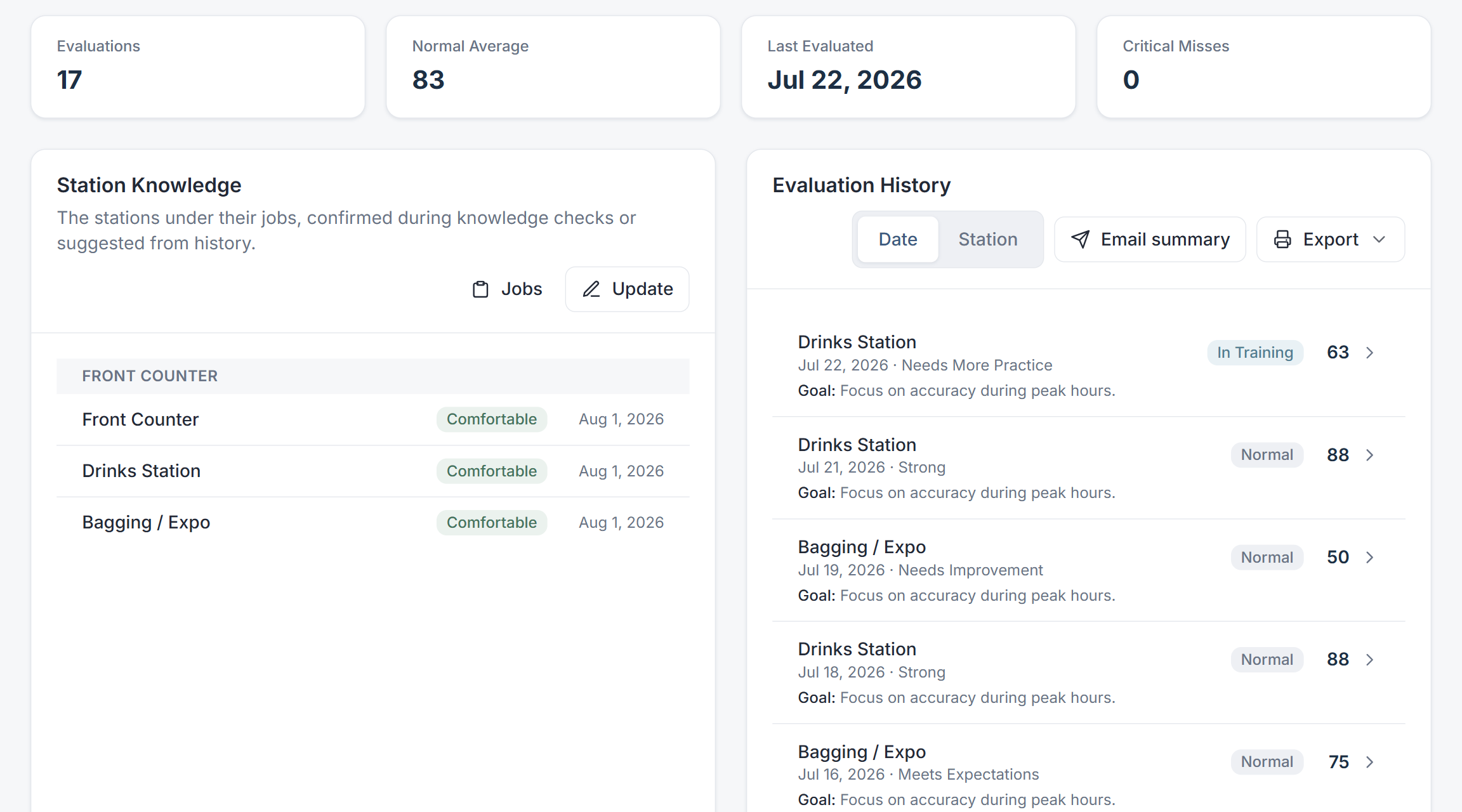
The matrix is not a document. It is a view over the evaluations and sign-offs your trainers are already recording, so it is current by construction: the trainer scores somebody on the fryer on a tablet, and the fry column changes.
- A trainer's knowledge-check sign-off is the authority on whether someone is signed off on a checklist.
- Where there is no sign-off yet, the evaluation score fills in as a fallback so nothing starts blank.
- Every cell carries when it was last confirmed, so you can see what is current and what is a year old.
- Read a column for coverage on one checklist, a row for how flexible one person is.
- Per-checklist exclusions let you excuse one person from one checklist without pretending they failed it.
What you do with it on a Tuesday
Find the single point of failure
The checklist only two people are signed off on is the one that turns a call-out into a disaster. Coverage per checklist makes that visible while it is still a training decision rather than a staffing emergency.
Pick who to train next, on evidence
CrewSharp prioritises whoever knows the fewest checklists, so coaching goes to the person it moves the most, and it spreads trainers one-to-one rather than piling three trainees on the same coach.
Staff the shift from what is true
The setup sheet reads the same records. Its Fill button only uses people signed off on a station, and when you swap someone by hand, their comfort level is right there next to the name.
Common questions
What is a cross-training matrix?
A cross-training matrix (also called a skills matrix or training matrix) is a grid with your people down one side and the jobs or checklists across the top. Each cell says how far along that person is on that checklist. Read down a column and you see how many people are signed off on each checklist; read across a row and you see how flexible one person is.
Why do spreadsheet training matrices go stale?
Because updating them is a separate job that nobody is paid to do. The training happens on the floor at 7pm and the spreadsheet lives on an office laptop, so the update depends on somebody remembering hours later. CrewSharp inverts that: the trainer records the evaluation on the floor because that is where the evaluation happens, and the matrix is a view of those records rather than a document anybody maintains.
How does CrewSharp decide someone is signed off on a checklist?
A trainer's explicit sign-off is the truth. A recorded knowledge check on a checklist beats any score, because a person who confirmed the training is better evidence than an average. Where there is no sign-off, the evaluation score on that checklist is used as a fallback so a new checklist is not blank on day one.
Can I see the matrix per location?
Yes. Stores are a real boundary in CrewSharp, not a filter. Each location has its own roster, its own checklists and its own scores, and multi-unit operators can compare coverage across locations while each GM stays inside their own store.
Does it show me where I am thin before it becomes a problem?
That is the main use. The column view surfaces checklists where only one or two people are signed off, which is the shape of every scheduling emergency before it happens. The dashboard then tells you who is closest to covering it, so you know who to train next.
Stop rebuilding the same spreadsheet
Bring your roster in, run a handful of evaluations, and watch the grid fill itself in from the floor.
30 days free. No card to start. Cancel in one click.
Keep reading
How to cross-train restaurant staff
Picking who learns what, and scheduling it without leaving a position uncovered.
Restaurant training matrix template
The free spreadsheet, the four columns that matter, and why it goes stale.
Training checklists
What actually fills the cells in: scored checklists run on the floor.
Setup sheet
The matrix put to work: who stands where at lunch.