01
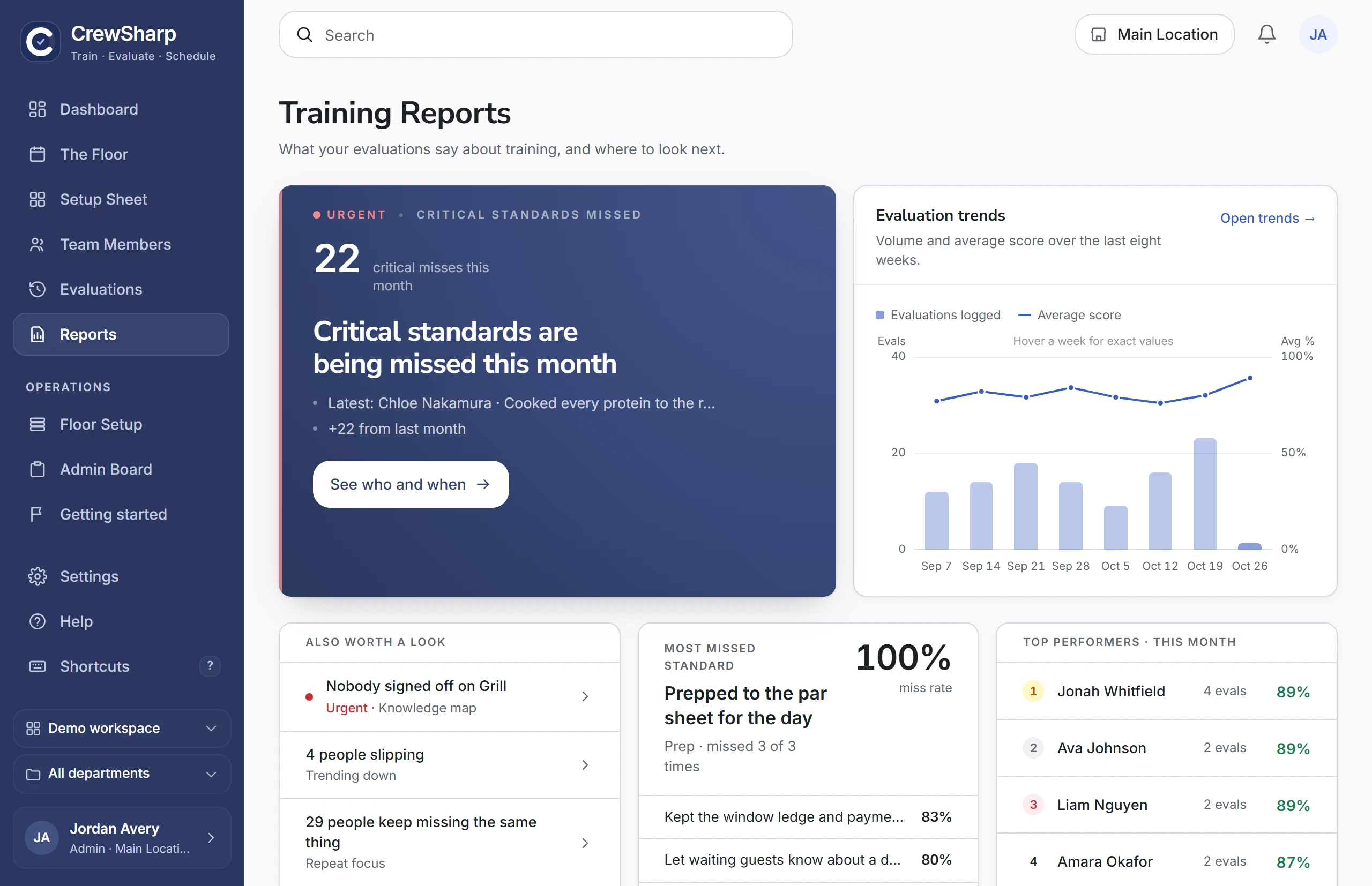
See the bigger picture
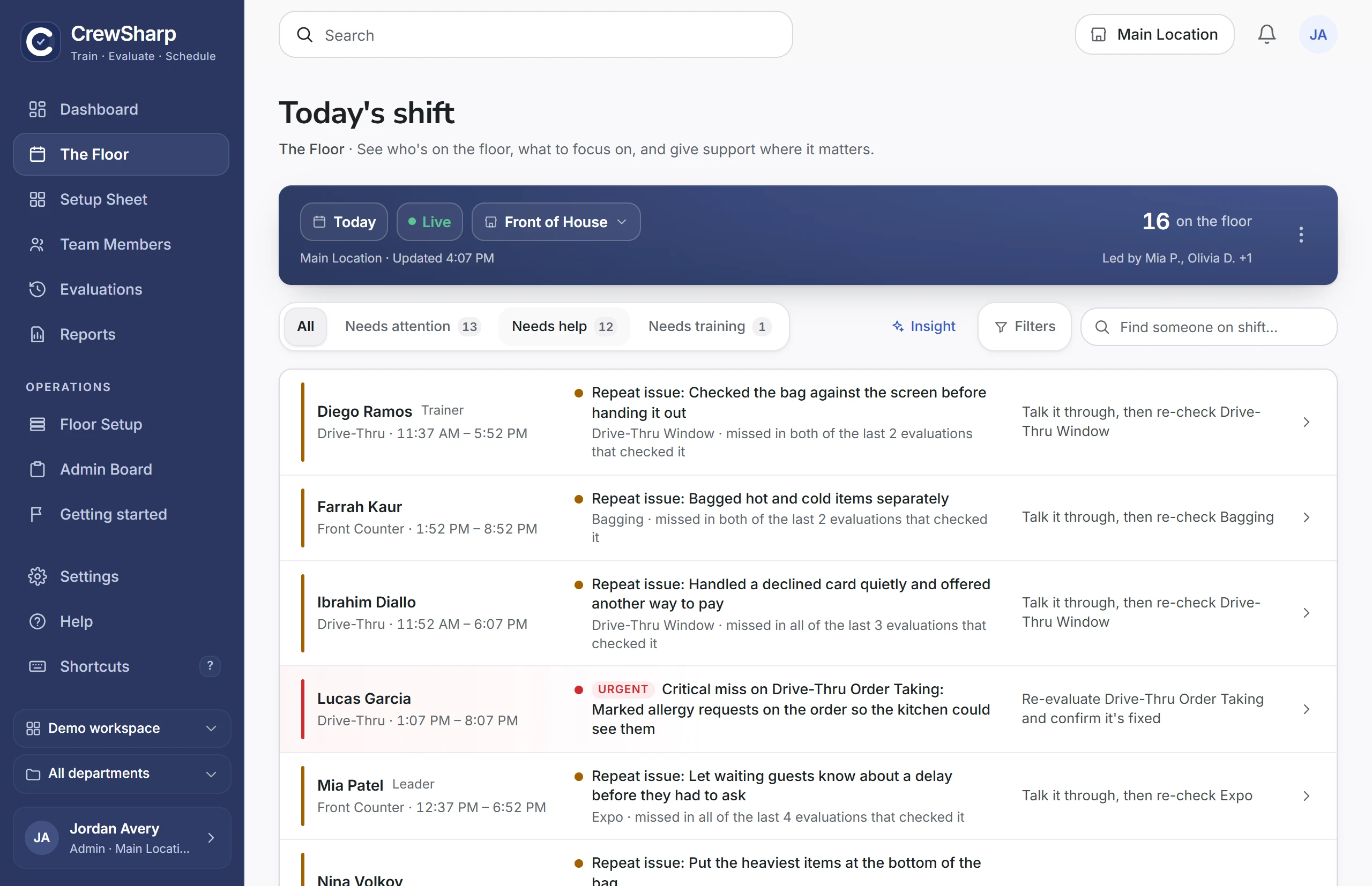
See training progress, checklist scores, and recurring gaps without chasing down an update from every shift.
Track your restaurant team’s training, see who’s ready for each job, and know what to coach next.
30 days free. No credit card required.
What we went over
Practiced salting as soon as they come out of the oil. Ran fries through lunch without reminders.
Saved to their training record
When the next manager takes over, they can see what you worked on. Every evaluation and coaching note stays on the person’s training record, so they can check who’s signed off before they place the crew.
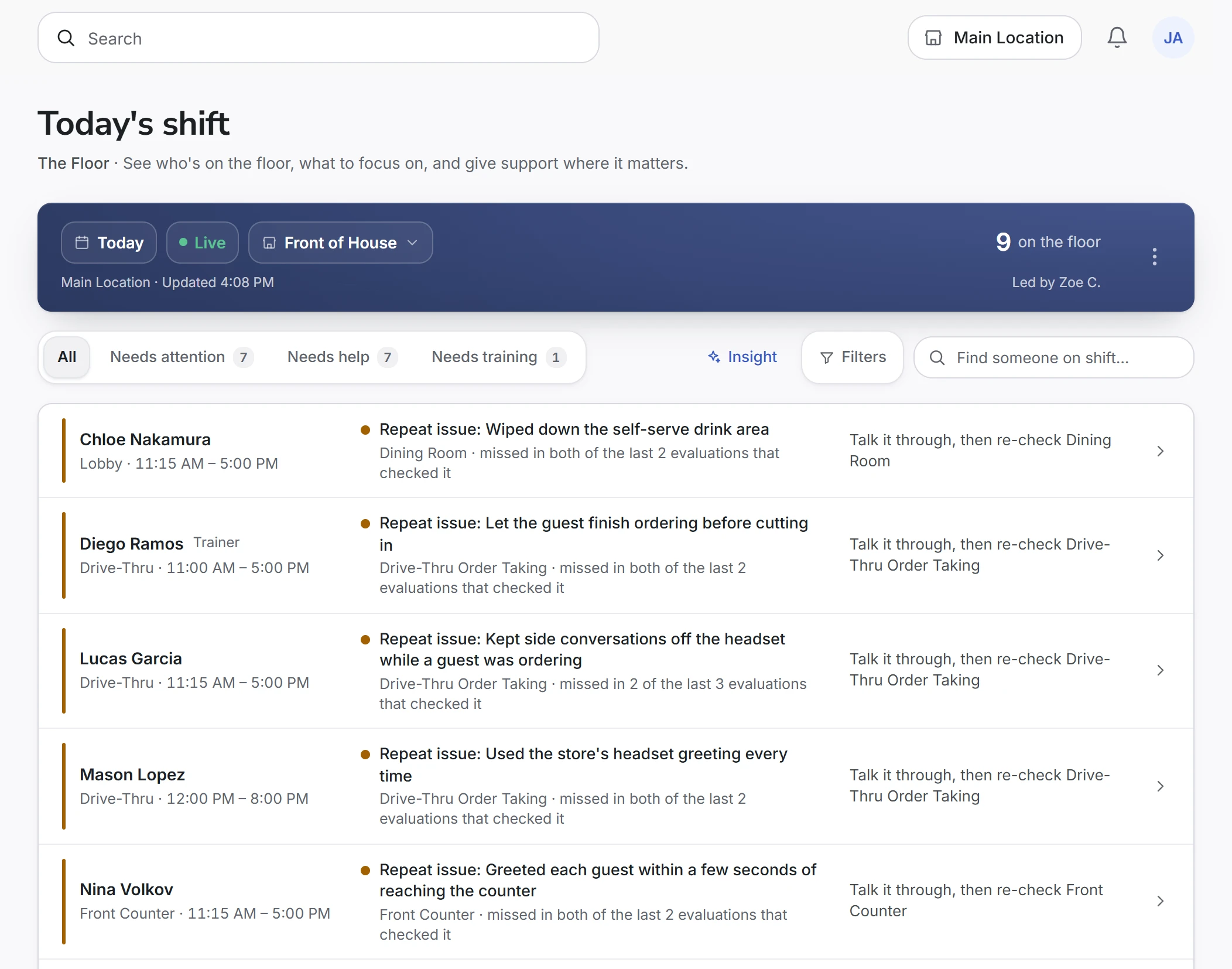
Training meets the daily shift
From floor coverage to the next coaching conversation, keep your decisions connected to your team’s training.
 CrewSharpDemo
Before the rush
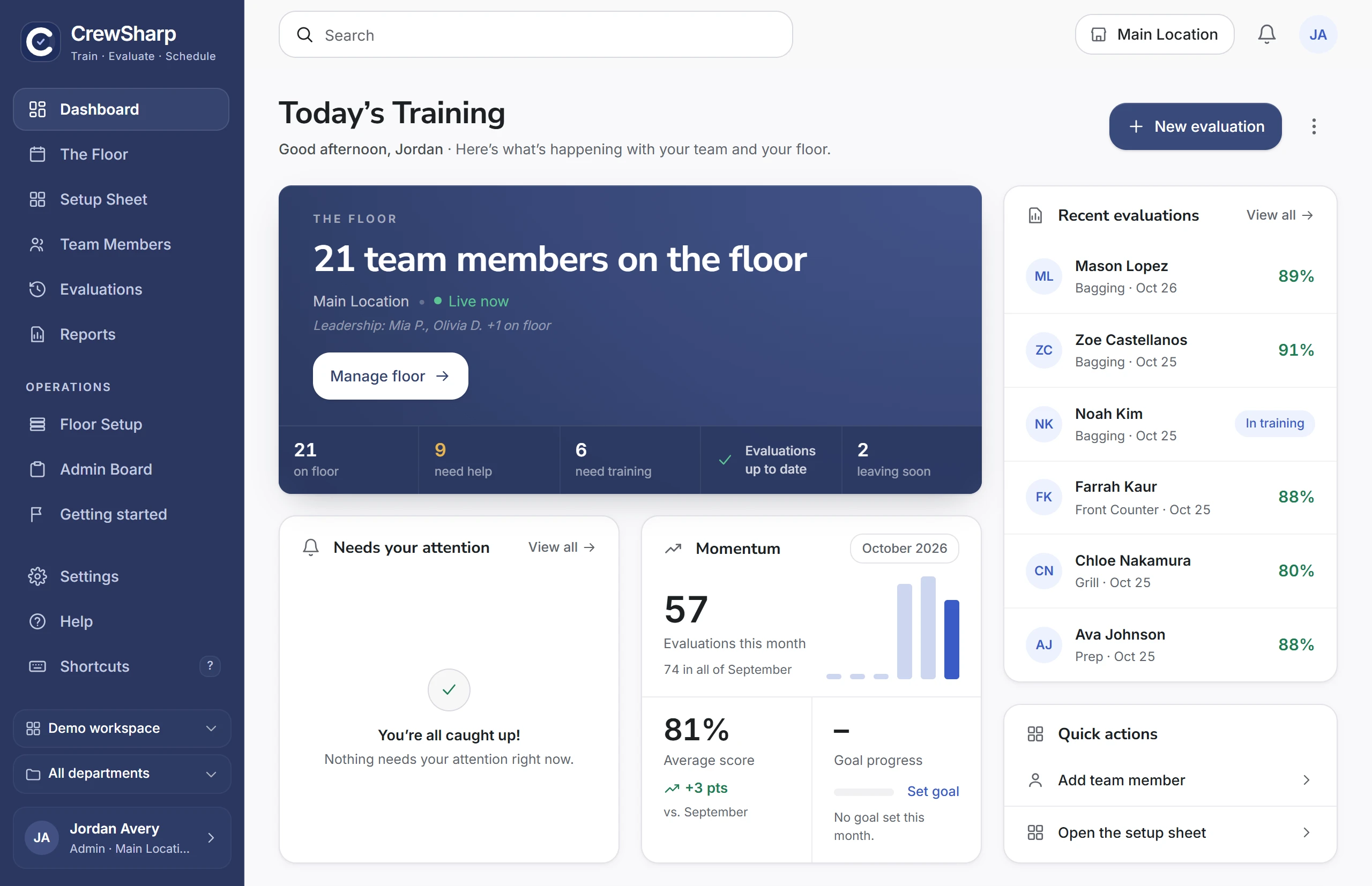
Check readiness against the crew on shift. Assign coverage and pair someone still learning with a trainer.
 CrewSharpDemo
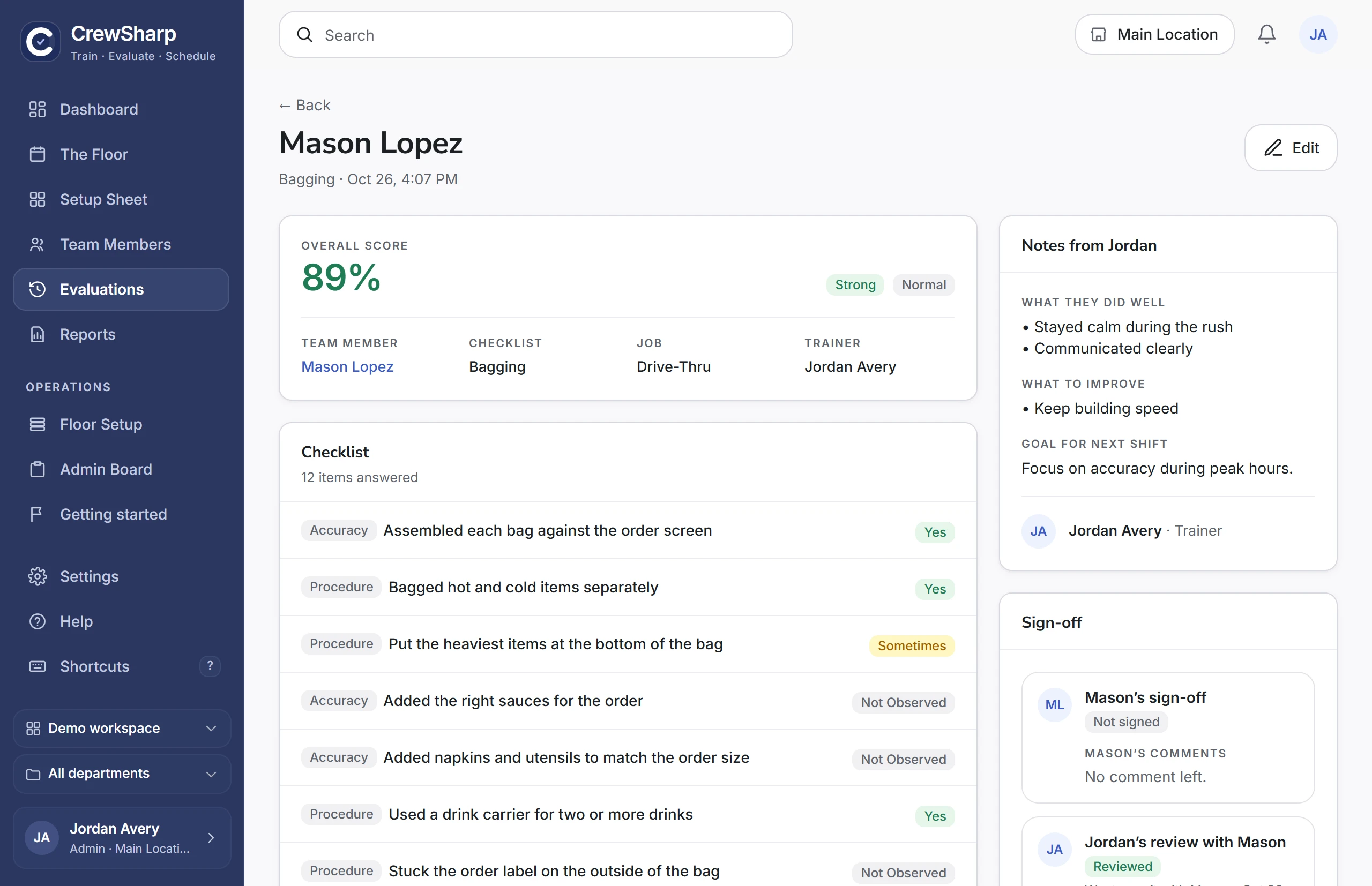
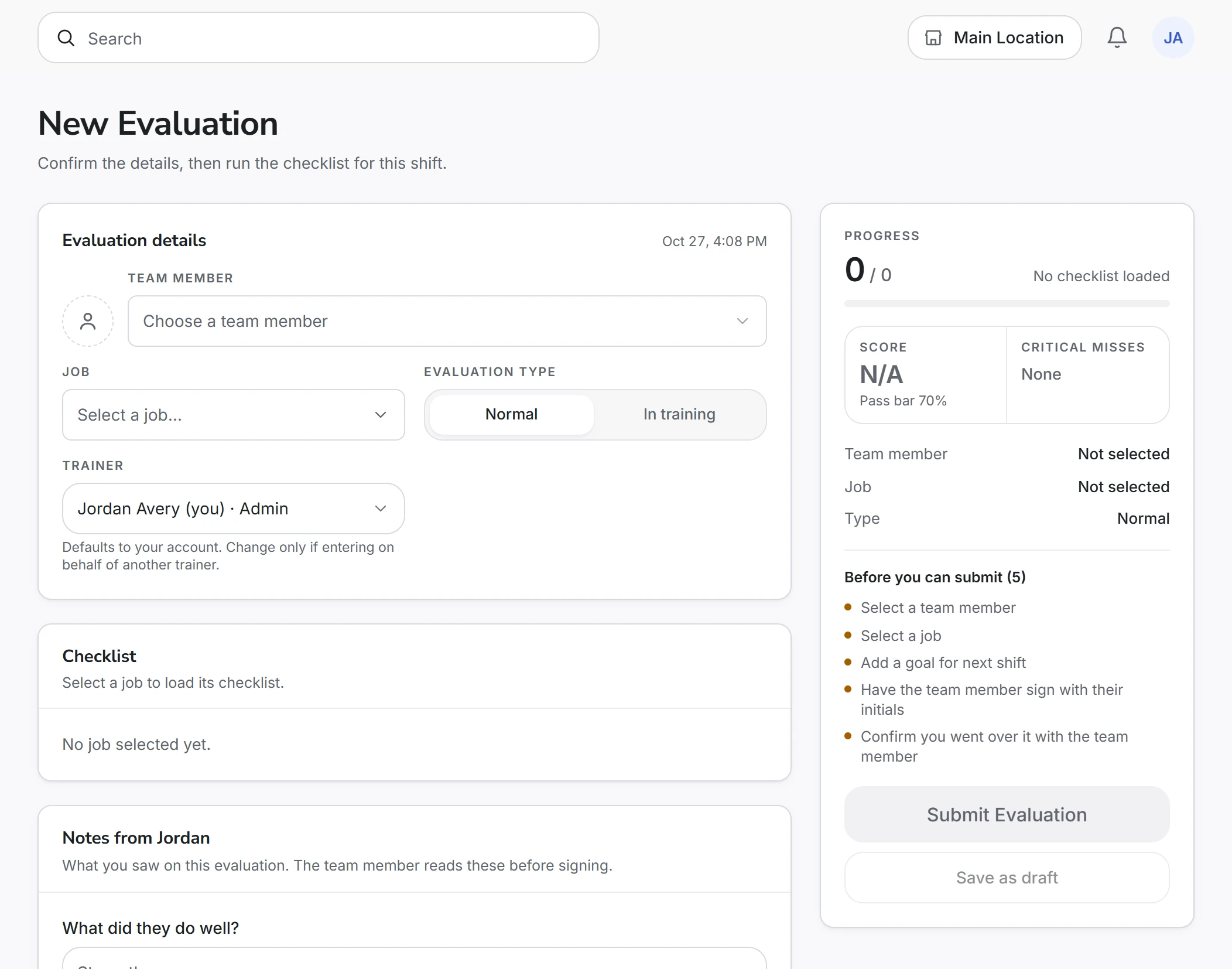
Double-checked the bag before calling the order
On the floor
Use the checklist to record what went well, what was missed, and what needs another look. Keep feedback with the crew member.
 CrewSharpDemo
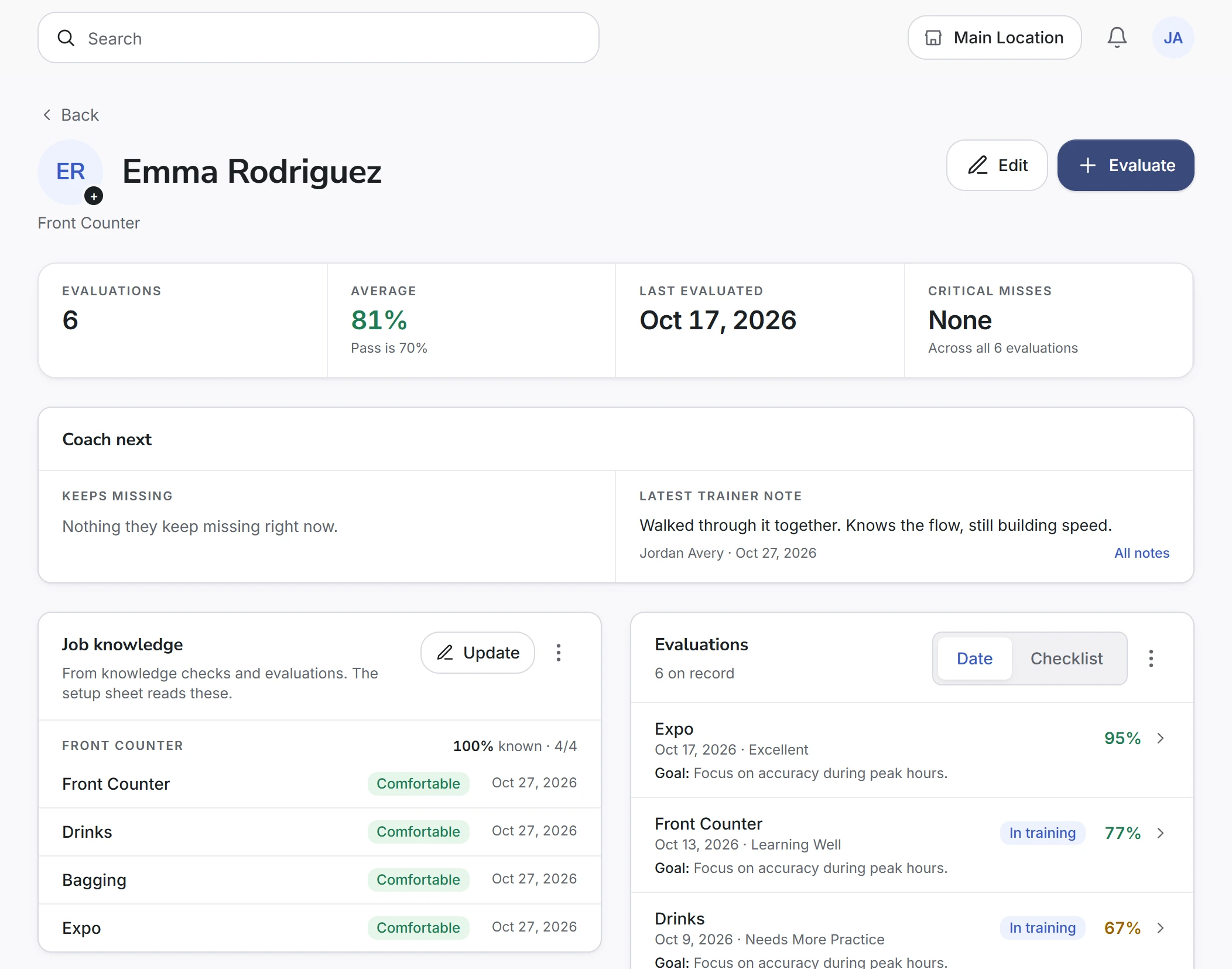
At the next shift
The next leader can review those evaluations and notes. Use that history to choose what to practice next and follow their progress.
The setup sheet warns you before someone leaves a station and suggests a person marked Comfortable on it. Take the suggestion or choose someone else. The picker shows what changes before you confirm.
See the setup sheet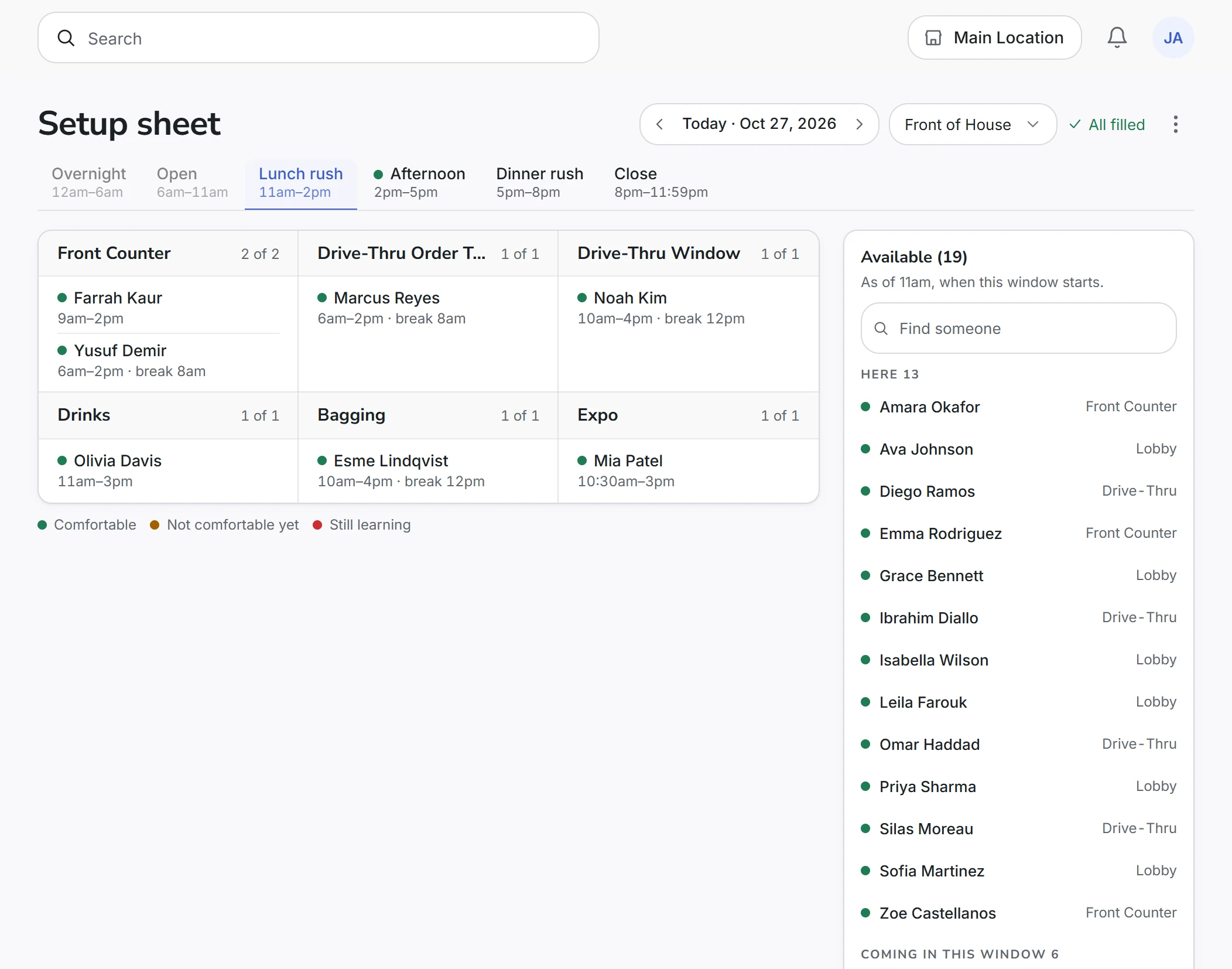

Works with your existing workflow
Keep scheduling in the tool your team already knows. Bring your team into CrewSharp, track station readiness, and give shift leaders a clear picture of who’s ready and where training is needed.
Import weekly schedules from HotSchedules, or team rosters from 7shifts, When I Work, and spreadsheets.
See training progress, checklist scores, and recurring gaps without chasing down an update from every shift.
Know who’s comfortable on each checklist and where cross-training could give your team more flexibility.
Give your leaders shared checklists and a record of coaching, so good training doesn’t depend on who’s working.
Why CrewSharp exists
On my first day I got five minutes of register training, then I was on my own. I was too scared to tell anyone I needed help. Nobody could tell, because nobody could see who was trained on what.
My teammates helped me figure it out, and later I became our store’s first trainer. I loved teaching the things I wished someone had told me.
Then I became a director. I spent three hours a week filing evaluations into a binder and scrolled back through the group chat to find out who had trained where. I had become the manager who couldn’t see who needed help.
So I built CrewSharp for my own store. Now I can see who’s struggling, and I spend that time teaching our trainers instead of filing paper.
Alanna MatundanFounder of CrewSharp, and a director at the store it was built in
In use every day at a quick-service restaurant in Westpointe Village, New Braunfels, TX.
One plan. Every tool. Priced per store.
About $2.60 a day per store
Here’s what you get:
Unlimited team members, trainers and evaluations. Custom roles and permissions. Email support.
30 days free. No card needed.
Need help getting set up? Email our team.
Bringing more stores on board?
Talk to us about volume pricingPrices in USD, billed monthly. Your bill adjusts as you add or archive stores.
Everything you need to know about getting started,
training your team, and making CrewSharp work for you.
Start with your team roster and the checklists you want to track. Import your team, choose and customize your checklists, then record your first evaluation. You can build up the training history as your team uses CrewSharp; you don’t need everyone’s past scores to begin.
No. CrewSharp runs in any browser and is built tap-first, so a tablet you already have on the line works great. It’s also fine on a phone or a laptop.
Yes. Import your team from a spreadsheet, or upload the HotSchedules Extended Schedule Report and we’ll match people to your roster automatically.
Not at all. Every pack ships with sensible checklists you can fully edit. Add or reorder items, set categories and answer types, and mark items critical, required, or score-affecting.
Per active store, per month. Trainers and team members are unlimited. You only pay more when you add a store, and if you archive one your bill drops the same way.
You keep full access to plans, roster and evaluation history through the end of the period you’ve already paid for, and you’re never charged again. You can undo it right up to the last day. No phone call, no email, no retention gauntlet: it’s a button on your Billing page.
Every account is scoped to its organization with row-level security in the database, and roles control who sees what. Card details never touch our servers, because payments run through Stripe’s hosted checkout.
30 days free. No credit card required.